eSIM vs Physical SIM Card: Complete Comparison Guide 2025
A comprehensive comparison of eSIM and traditional SIM cards to help you make the right choice for your connectivity needs.
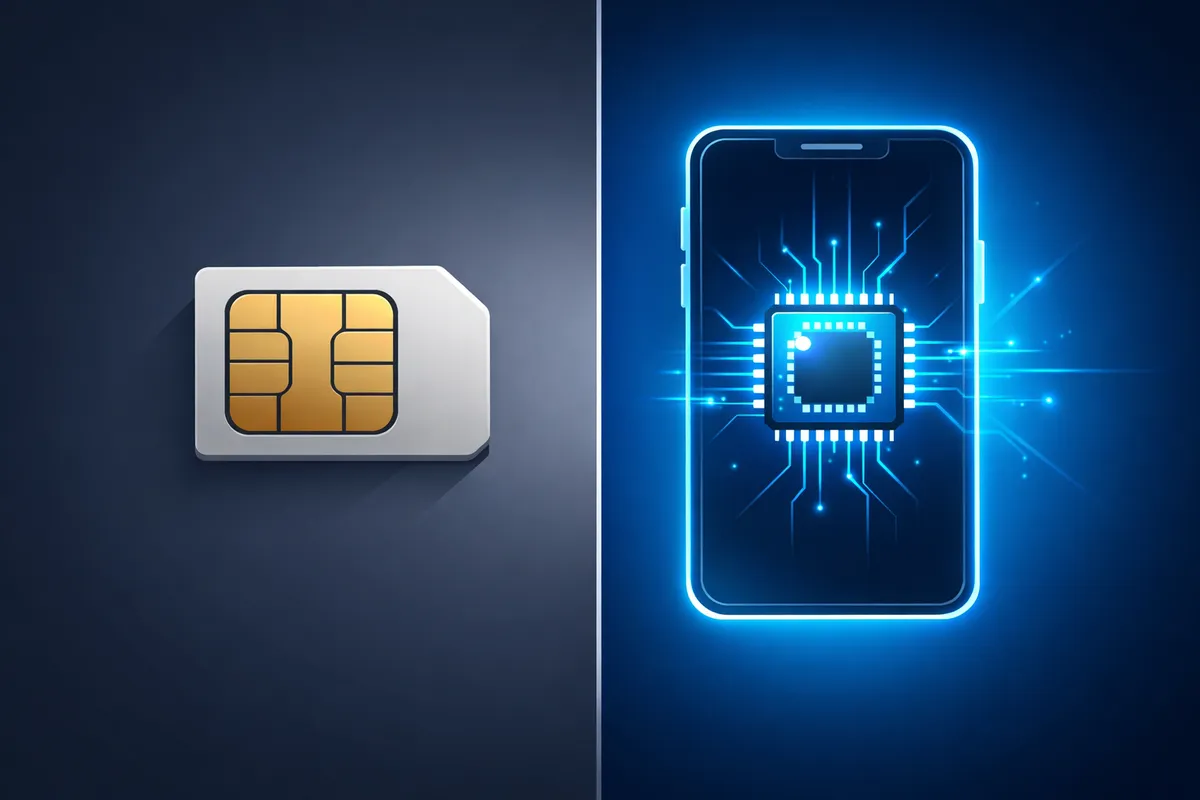
Introduction: The SIM Card Revolution
The way we connect to mobile networks is evolving. Traditional physical SIM cards have dominated for decades, but eSIM technology is rapidly gaining ground. Understanding the differences between these technologies is crucial for making informed decisions about your mobile connectivity.
What is a Physical SIM Card?
A physical SIM (Subscriber Identity Module) is a small, removable chip that stores your phone number, carrier information, and authentication data. First introduced in 1991, physical SIM cards have evolved from credit card-sized to the current nano-SIM format measuring just 12.3mm x 8.8mm.
Physical SIM Characteristics
- Removable: Can be easily swapped between compatible devices
- Universal: Works with any unlocked device that accepts that SIM size
- Tangible: Physical card you can hold and store
- Established: Supported by all carriers worldwide
What is an eSIM?
An eSIM (embedded SIM) is a digital SIM card built directly into your device's motherboard. Instead of inserting a physical card, you download carrier profiles digitally through software.
eSIM Characteristics
- Embedded: Permanently installed in the device
- Digital: No physical card needed
- Programmable: Can store multiple carrier profiles
- Modern: Supported by devices manufactured after 2018
Head-to-Head Comparison
Installation and Setup
Physical SIM:
- Requires physical insertion into SIM tray
- Must be obtained from carrier store or mail
- Takes days to receive by mail
- Risk of incorrect insertion or damage
eSIM:
- Instant digital activation
- Scan QR code or enter activation code
- Takes 2-5 minutes to set up
- No risk of physical damage
Winner: eSIM for speed and convenience
Device Compatibility
Physical SIM:
- Works with virtually all mobile devices
- Can be moved between devices easily
- No special device requirements
- Universal compatibility
eSIM:
- Requires eSIM-capable device
- Growing but limited device support
- Transfer requires new profile download
- Not all carriers support eSIM
Winner: Physical SIM for universal compatibility
International Travel
Physical SIM:
- Must purchase local SIM at destination
- Risk of losing home SIM card
- Physical stores may have long queues
- Language barriers possible
eSIM:
- Purchase before leaving home
- Keep home number active simultaneously
- Instant activation upon landing
- No physical card to manage
Winner: eSIM for travel convenience
Cost Comparison
Physical SIM:
- Often free with plan activation
- Replacement costs $5-25
- No technology premium
- May require shipping fees
eSIM:
- No card production costs
- No shipping required
- Competitive pricing
- Often cheaper for travel
Winner: Tie - both are cost-effective
Multiple Numbers/Plans
Physical SIM:
- Limited to device SIM slots (1-2)
- Requires physical swapping
- Can only have one active at a time per slot
- Cumbersome for multiple numbers
eSIM:
- Store 5-10 profiles simultaneously
- Switch instantly via settings
- Have multiple active numbers
- Perfect for personal + business
Winner: eSIM for flexibility
Security Features
Physical SIM:
- Can be removed if phone stolen
- Subject to SIM swap fraud
- No remote management
- Physical security concerns
eSIM:
- Cannot be removed from device
- Harder to perform SIM swap attacks
- Remote deactivation possible
- Enhanced digital security
Winner: eSIM for security
Carrier Lock-in
Physical SIM:
- Easy to switch carriers
- No digital barriers
- Complete freedom
- Works with any unlocked phone
eSIM:
- May have carrier restrictions
- Profile transfer can be complex
- Some carriers limit eSIM flexibility
- Device unlock may be required
Winner: Physical SIM for carrier freedom
Environmental Impact
Physical SIM:
- Plastic card production
- Packaging materials
- Shipping carbon footprint
- Billions produced annually
eSIM:
- No physical materials
- Zero shipping emissions
- Reduced e-waste
- Sustainable solution
Winner: eSIM for environmental sustainability
Detailed Pros and Cons
Physical SIM Advantages
- Universal Device Support: Works with all phones
- Easy Device Switching: Simply move card between phones
- No Digital Requirements: No need for internet during setup
- Carrier Independence: Freedom to choose any carrier
- Familiar Technology: Everyone knows how to use them
- Backup Option: Can remove and store safely
Physical SIM Disadvantages
- Physical Vulnerability: Can be lost, damaged, or stolen
- Inconvenient Acquisition: Must visit store or wait for mail
- Limited Dual SIM: Most phones have only 1-2 slots
- Travel Hassles: Must buy local SIMs abroad
- Environmental Waste: Creates plastic waste
- Size Limitations: Requires physical space in device
eSIM Advantages
- Instant Activation: Ready in minutes, anywhere
- Multiple Profiles: Store many carriers simultaneously
- Enhanced Security: Cannot be physically stolen
- Travel Perfect: Purchase plans before departure
- Space Saving: Allows slimmer device designs
- Eco-Friendly: Zero physical waste
- Future-Ready: Direction of mobile technology
eSIM Disadvantages
- Limited Device Support: Requires newer devices
- Carrier Restrictions: Not all carriers offer eSIM
- Transfer Complexity: Moving to new device requires redownload
- Internet Required: Need connectivity for setup
- Less Familiar: Learning curve for some users
- Potential Lock-in: Some carriers restrict eSIM portability
Real-World Use Cases
Best for Physical SIM
- Budget Devices: Older or entry-level phones
- Frequent Phone Changers: People who upgrade often
- Tech-Averse Users: Those uncomfortable with digital systems
- Backup Needs: Want physical backup of connectivity
- Device Sharing: Using one SIM across multiple devices
Best for eSIM
- Frequent Travelers: Regular international trips
- Digital Nomads: Living and working across countries
- Multiple Numbers: Need personal + business lines
- Latest Devices: Owners of flagship smartphones
- Environmentally Conscious: Prefer sustainable options
- Remote Areas: Limited access to physical stores
Making the Switch: What You Need to Know
Switching from Physical to eSIM
- Check Compatibility: Verify your device supports eSIM
- Contact Carrier: Confirm eSIM availability
- Request Transfer: Carrier will provide QR code
- Scan and Activate: Follow on-screen instructions
- Test Thoroughly: Ensure calls, texts, and data work
Switching from eSIM to Physical
- Request Physical SIM: Contact carrier for card
- Deactivate eSIM: Through device settings
- Insert Physical Card: Place in SIM tray
- Activate Service: Follow carrier instructions
- Verify Operation: Test all features
The Hybrid Approach: Using Both
Many modern devices support dual SIM functionality with one physical and one eSIM. This combination offers the best of both worlds:
- Home eSIM: Primary number on eSIM
- Travel Physical: Use local SIM when abroad
- Work & Personal: Separate numbers easily
- Backup Option: Redundancy if one fails
Future Outlook
The mobile industry is clearly moving toward eSIM technology:
- Apple's Move: iPhone 14 in the US is eSIM-only
- Carrier Adoption: Expanding eSIM support globally
- IoT Integration: eSIM perfect for connected devices
- 5G Optimization: eSIM works seamlessly with 5G
However, physical SIMs will remain relevant for years, especially in developing markets and for budget devices.
Expert Recommendations
Choose eSIM If:
- You travel internationally frequently
- You own a modern flagship smartphone
- You need multiple phone numbers
- You value convenience and speed
- You want the latest technology
Choose Physical SIM If:
- You have an older device
- You switch phones frequently
- You prefer traditional methods
- You need maximum carrier flexibility
- You want a physical backup
Use Both If:
- Your device supports dual SIM
- You want maximum flexibility
- You travel occasionally
- You need redundancy
Conclusion: Which Should You Choose?
There's no universal "better" option - it depends on your specific needs:
- For Most Users: eSIM offers superior convenience and features
- For International Travelers: eSIM is a game-changer
- For Budget Conscious: Physical SIM remains cost-effective
- For Maximum Flexibility: Use both if possible
The mobile industry is transitioning to eSIM, but physical SIMs will remain viable for the foreseeable future. Consider your usage patterns, device compatibility, and personal preferences when making your choice.
Ready to experience the future of mobile connectivity? Explore Teraroma's eSIM plans for over 190+ countries with instant activation and competitive pricing.
The Short Answer
For 90% of travelers in 2026, eSIM wins on every meaningful axis: setup speed, pricing transparency, security, and convenience. Physical SIMs still beat eSIMs in a few narrow cases — older phones, certain prepaid local promotions, and travel to regions with patchy eSIM partner coverage.
If your phone supports eSIM and you're going to a popular destination, a Teraroma travel eSIM is the better choice almost every time.
Round 1: Setup Speed
Physical SIM: Land at the airport. Find the carrier kiosk. Wait in line. Show your passport. Pay. Wait while the agent activates it. Eject your home SIM, store it somewhere safe (and ideally don't lose it). Insert the new SIM. Restart your phone. Hope it works.
eSIM: Buy online from your couch. Get a QR code emailed within minutes. Scan it once. Done — the eSIM waits dormant until you toggle it on at your destination.
Winner: eSIM. A travel eSIM is the difference between three minutes of pre-trip setup and 45 minutes of airport queueing on arrival.
Round 2: Cost
The cost story is more nuanced than people assume.
Physical SIM advantages: Some local carriers in countries like Thailand, India, and Vietnam sell very aggressive tourist SIMs — for example, a Thai AIS tourist SIM with 15 GB for ~$10. These can be cheaper per gigabyte than a comparable eSIM in those specific markets.
eSIM advantages: For multi-country trips, regional eSIMs dominate. A single Europe eSIM covering 33 countries beats juggling local SIMs in every nation. Pricing is published up front — no language barriers, no upsells.
Winner: tie, with the caveat that eSIM almost always wins for multi-country itineraries and single-country trips to expensive markets like the US, UK, or Japan.
For a deeper look at the math, see our eSIM vs roaming cost breakdown.
Round 3: Coverage and Speed
Both eSIMs and physical SIMs ultimately ride on the same local cellular networks. The question is which carrier the SIM uses.
A local physical SIM from the dominant national carrier usually has the broadest coverage in remote areas. A travel eSIM resells access via a roaming partner — coverage in cities is identical, but rural coverage can vary by partner.
Winner: physical SIM, by a small margin, only if you're heading deep into remote terrain. For city travel and standard tourist routes, the difference is invisible.
Round 4: Security
Physical SIM: Can be physically stolen and used in another device. Can be SIM-swapped via social engineering. Can be lost when swapping (a common cause of "lost contacts" when travelers return home).
eSIM: Embedded into the device's secure element. Cannot be removed. Tied to a specific device, which makes SIM-swap attacks substantially harder. Encrypted profile downloads via Remote SIM Provisioning (RSP).
Winner: eSIM, by a wide margin. Security pros generally consider eSIMs more resistant to physical theft and SIM-swap attacks.
Round 5: Multi-Country Flexibility
This is where eSIMs absolutely dominate.
If you're hopping from Paris to Madrid to Rome in one trip:
- Physical SIM: Buy three SIMs, swap three times, store three loose cards.
- eSIM: One regional plan, zero swaps, your home number still works for SMS the entire time.
If you frequently travel, eSIMs let you keep installed profiles for past destinations — toggle on the "Japan" eSIM next time you visit Tokyo without buying anything new.
Winner: eSIM, decisively.
Round 6: Keeping Your Home Number Live
With a physical-only phone, swapping to a local SIM means your home number is offline for the entire trip. You miss SMS-based 2FA codes, miss family calls, and miss WhatsApp activations.
With an eSIM, your home line stays alive — you just toggle data to the travel eSIM. iMessage, FaceTime, banking 2FA, and your usual number all keep working.
Winner: eSIM.
Round 7: When Things Go Wrong
Lost physical SIM in a foreign country? You need to find the carrier, prove your identity, and get a replacement — sometimes impossible without local ID.
eSIM activation issues? You can usually resolve them online with 24/7 chat support, or download a fresh profile. Teraroma issues replacement QR codes instantly when needed.
Winner: eSIM.
When a Physical SIM Still Wins
Be honest with yourself. A physical SIM is genuinely the better call if:
- Your phone doesn't support eSIM (check our eSIM compatible phones list).
- You're traveling to a country where the local prepaid market offers absurd value (Thailand, Vietnam, India).
- You need a local number for things like dating apps or local food delivery that require local SMS verification.
- You're staying in one country for months — sometimes a local long-term contract is cheaper.
For everyone else, the eSIM is the better tool.
How to Switch From Physical to eSIM
Most modern carriers let you convert your existing physical SIM to an eSIM via their app or website — usually for free. On iPhone, you can also use Convert to eSIM in Cellular settings (only for select US carriers).
After converting, you can install a Teraroma travel eSIM as a second line and toggle data between them.
Frequently Asked Questions
Stay in the Loop
Get the latest travel tips, eSIM guides, and exclusive deals delivered to your inbox
We respect your privacy. Unsubscribe at any time.
Related Articles

How Does eSIM Work? (Technical Breakdown Made Simple)
A clear, jargon-free breakdown of how eSIM technology actually works under the hood — from Remote SIM Provisioning to carrier profile downloads.
How to Install eSIM: Complete Step-by-Step Guide 2025
Simple, detailed guide to installing and activating eSIM on any compatible device with troubleshooting tips.